 Social Media Engine Help
Create a post for one brand, choose its channels and prepare the copy and media. Use Compose when you are ready to save a draft, request review or approve.
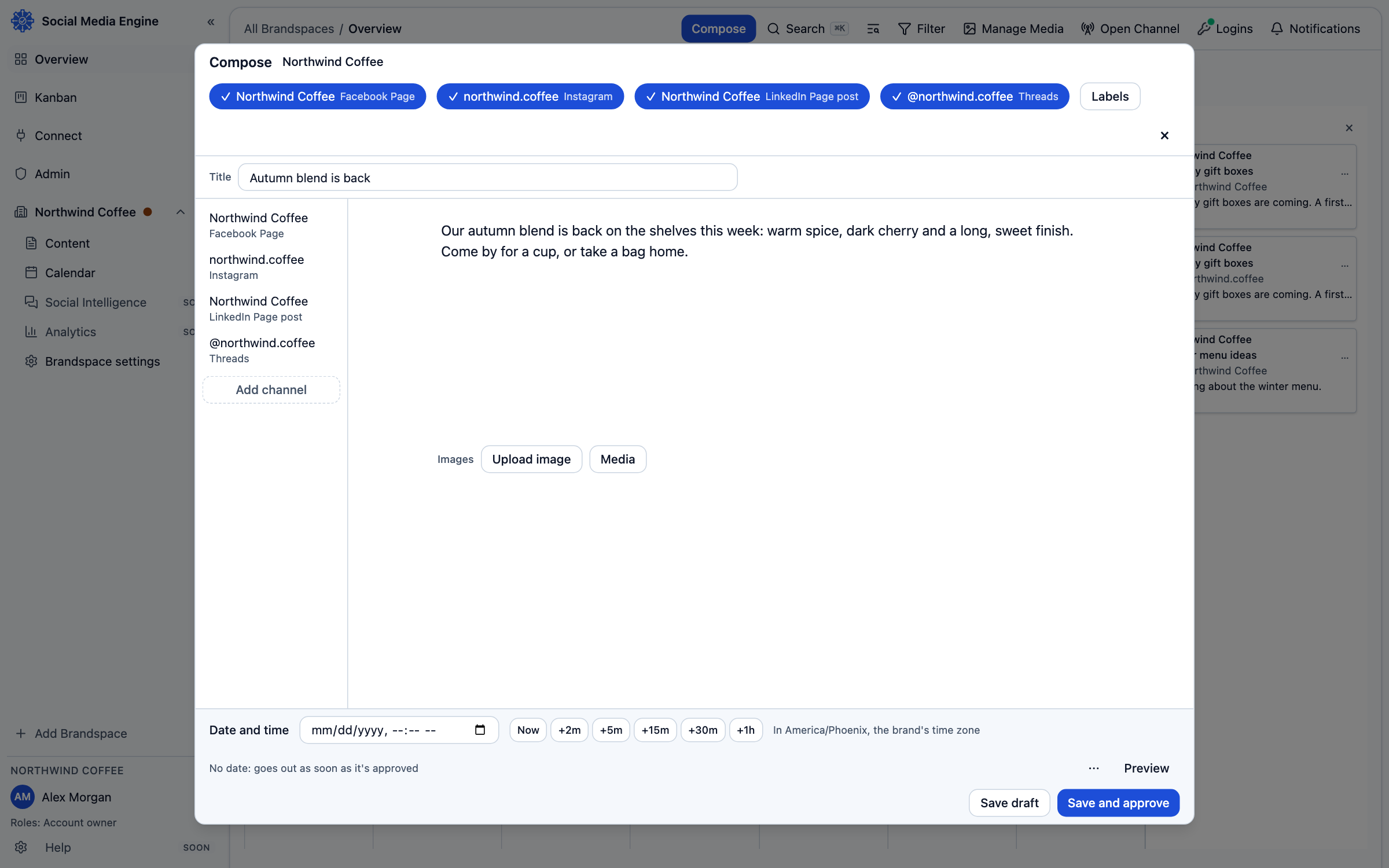
Start a post for the right brand
Compose creates a post for one brand. Its selected channels receive the post, with a version for each channel when needed. Choose a product only when the post is about it. A channel with a problem is marked, with a reason, so you can adjust that channel’s version before saving.
- Choose Compose from the top rail or the calendar.
- Choose your brand.
- Select the channels that should receive the post.
- Enter a title if one is useful, then write the post in the editor.
- Use formatting controls only when the selected channel supports the resulting text.
Add media and save
- Choose Add images or Media library to add a picture. You can also drop a file onto Compose.
- Open Preview to inspect the post as Desktop or Mobile.
- Review Versions and resolve any marked channel before approval.
- Set Date and time if the post should be scheduled for a particular time.
- Choose Save draft, Save and send for review or Save and approve, as your role allows.